
Administering & Configuring Dynamics 365
This Dynamics Admin area is aimed at those responsible for the administration and configuration of Dynamics - generally outside the normal scope of using the system for business processes. As always - use your discretion, no warranty is implied by the sharing of this information.
Recent Dynamics Admin Entries


Modifying the XML schema of the Word Template for Dynamics can allow you to make additional fields available to use on the template.

The user 'xxxxxx-xxxx-xxxx-xxxxxxxx' does not have a service plan adequate for the non-Standard connection 'Microsoft Dataverse'.
Me: BUT I DO!

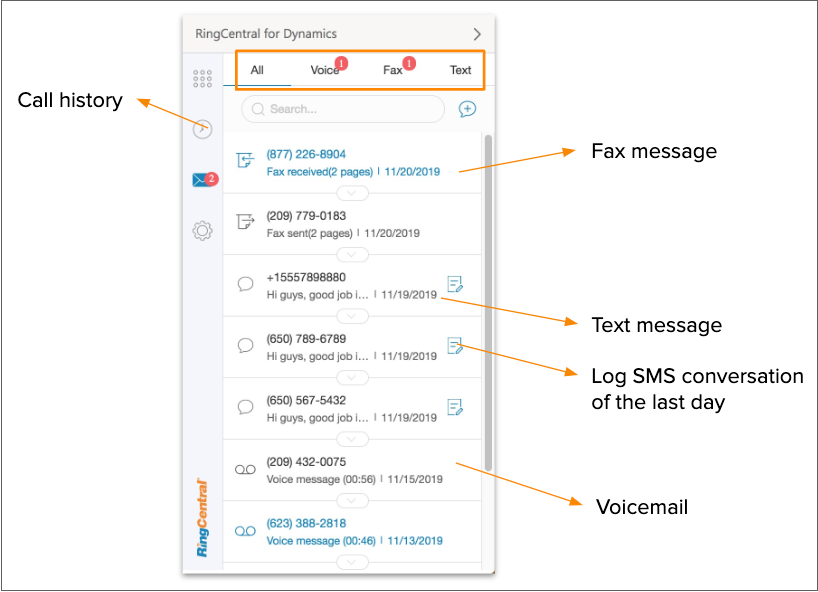
Need to send an SMS from your Contact record in Dynamics to Ring Central? Here’s one way to do it.

Sum data from Dynamics records easily with FetchXML and update related records as an alternative to using a RollUp Field

Stuck with Excel giving you an integer for your date in Power Automate? A quick compose calculation can resolve this.


Dynamics is very customizable and allows you to create multiple fields (with some limitations) to store whatever you need for your business
Search The Site
Quick Links
On Premise Specific Links
Dynamics 365 Admin Entries Index
Field Customization
Dynamics is very customizable and allows you to create multiple fields (with some limitations) to store whatever you need for your business

In Microsoft Dynamics 365, calculated fields let you automate manual calculations used in your business processes. The following options are available to you;

Dynamics App For Outlook
Licensing & Pricing

The user 'xxxxxx-xxxx-xxxx-xxxxxxxx' does not have a service plan adequate for the non-Standard connection 'Microsoft Dataverse'.
Me: BUT I DO!

API References
Environment Admin
Automation / Power Automate

Every entity/Table in Dynamics has a ‘Type Code’ - a numeric identifier for that table. Here’s how to find yours.
Every entity/Table in Dynamics has a ‘Type Code’ - a numeric identifier for that table. Here’s how to find yours.
Every entity/Table in Dynamics has a ‘Type Code’ - a numeric identifier for that table. Here’s how to find yours.


Storing data online can be a compliance nightmare. Check your Dynamics365 and make sure you meet your legal requirements.

Lost a workflow? not sure which workflow is sending an email or changing a value? start tracking it down with dependencies!

Create a duplicate of your Dynamics 365 environment for training, testing or development.

The user 'xxxxxx-xxxx-xxxx-xxxxxxxx' does not have a service plan adequate for the non-Standard connection 'Microsoft Dataverse'.
Me: BUT I DO!
Sum data from Dynamics records easily with FetchXML and update related records as an alternative to using a RollUp Field
Stuck with Excel giving you an integer for your date in Power Automate? A quick compose calculation can resolve this.

Embedding a graphic into a Dynamics email record was proving challenging - here’s how I did it.
In Microsoft Dynamics 365, calculated fields let you automate manual calculations used in your business processes. The following options are available to you;

I have a Multiline Text field in Dynamics365 that I want to use in my Power Automate Flow. I also want to ensure that the line breaks or carriage returns are preserved and I don’t get a blob of text to use.


The amazing Power Platform can connect to almost any aspect of Microsoft 365 and use their API. Here’s an interesting proof of concept I had to implement for a client that had a rather complex Sharepoint process triggered by a Dynamics365 record.
